Bookkeeping Software for Multi-Entity Businesses

Managing the finances of one business can be challenging enough. When you’re responsible for multiple companies, subsidiaries, branches, or related entities, bookkeeping becomes significantly more complicated.
Each entity may have its own income, expenses, bank accounts, tax obligations, and financial records, while you still need a clear picture of how everything fits together.
This is where bookkeeping software for multi-entity businesses becomes valuable. The right software can help you keep financial records organized by entity, reduce repetitive data entry, streamline reporting, and give business owners and finance teams better visibility across their entire organization.
But not every accounting or bookkeeping platform is designed to handle multiple entities effectively.
Features such as consolidated reporting, intercompany transactions, separate books, user permissions, and multi-currency support can make a major difference as your business grows.
Why Bookkeeping Gets More Complicated as You Add Entities
Managing the books for one business is relatively straightforward: you track its income, expenses, assets, liabilities, bank accounts, and other financial activity in one set of records.
But when you operate multiple businesses or legal entities, the bookkeeping process becomes more complex because each entity needs to be tracked accurately while still giving you a clear view of the organization as a whole.
The more entities you add, the more financial information you have to organize, reconcile, and report. This can quickly turn into a time-consuming process if you rely on spreadsheets, disconnected accounting systems, or manual bookkeeping.
a. Separate Financial Records
Each legal entity generally needs its own financial records. This means maintaining separate books, bank accounts, income and expenses, assets, liabilities, and financial statements for each business.
For example, if you own three companies, you may need to track three separate sets of financial activity while ensuring that transactions are assigned to the correct entity. Accidentally recording an expense or payment under the wrong business can distort financial statements and create problems when it’s time to prepare taxes or assess each company’s performance.
Managing these records manually becomes increasingly difficult as the number of entities grows.
b. Intercompany Transactions
Multiple businesses under the same ownership often transact with one another. One company may lend money to another, pay an expense on its behalf, provide services, or transfer funds between bank accounts.
These intercompany transactions need to be recorded correctly on both sides. For example, if Company A loans $10,000 to Company B, the transaction should be reflected as a receivable or payable in the appropriate entities’ books.
Without a consistent system for tracking these transactions, discrepancies can easily arise between related businesses.
c. Consolidated Reporting
While each entity needs its own financial records, business owners and management often need to see the bigger picture.
You may want to know:
- How much revenue did all businesses generate?
- Which entity is the most profitable?
- What are total operating expenses across the group?
- How much cash does the organization have?
- How are the individual businesses contributing to overall performance?
Answering these questions requires bringing information from multiple entities together into consolidated reports. Doing this manually can involve exporting data, combining spreadsheets, and checking figures repeatedly for errors.
d. Tax and Compliance Requirements
Different entities may have different tax obligations, reporting requirements, accounting structures, or fiscal periods. Keeping their financial activity properly separated is therefore more than an organizational preference—it can be essential for accurate reporting and compliance.
When bookkeeping is poorly organized, it becomes harder to determine which income, expenses, assets, and liabilities belong to each entity. This can create additional work for accountants and increase the risk of reporting errors.
e. More Bank Accounts and Financial Activity
Adding entities usually means adding more financial accounts. Instead of reconciling one or two bank accounts, you might have to manage several accounts across different businesses.
Each account generates its own transactions that need to be categorized, matched, and reconciled. The workload grows even faster when businesses also use multiple payment processors, credit cards, loans, or currencies.
f. More People Managing the Books
Multi-entity businesses often involve multiple owners, bookkeepers, accountants, finance managers, and other employees. Giving everyone the right level of access becomes another consideration.
A good bookkeeping system should make it possible to control who can view or modify financial information for each entity while maintaining enough access for people to do their jobs effectively.
Key Features to Look for in Bookkeeping Software for Multi-Entity Businesses
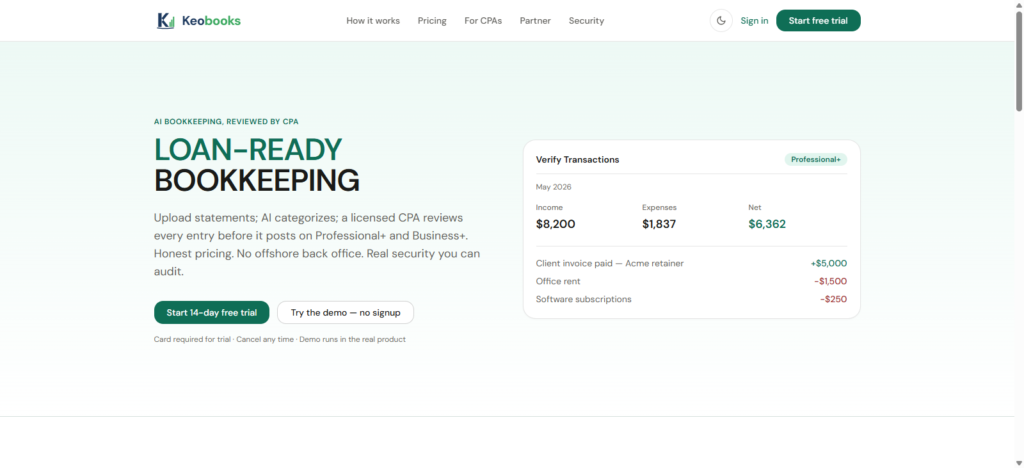
The right bookkeeping software for multi-entity businesses should therefore make it easy to maintain separation between entities without creating unnecessary administrative work. Here are the key features to consider.
1. Multiple Entity Management
The first thing to look for is the ability to manage multiple businesses or legal entities within one system. Instead of creating completely separate bookkeeping processes for every company, a multi-entity platform should allow you to organize and manage each entity from a centralized environment.
This is particularly useful for business owners who operate several companies, holding companies with subsidiaries, or growing businesses that are expanding into new entities.
KeoBooks can help businesses bring their bookkeeping activities into a more organized digital environment, making it easier to manage financial information as operations grow.
2. Separate Books for Each Entity
While centralized management is useful, your financial records still need to remain properly separated. Good multi-entity bookkeeping software should allow each business to maintain its own transactions, income, expenses, assets, liabilities, and financial statements.
This separation helps prevent transactions from one company from being incorrectly recorded against another and makes it easier to produce accurate entity-level reports.
3. Consolidated Financial Reporting
Managing multiple entities doesn’t mean you only want to see them individually. Business owners and management teams often need to understand the financial performance of the entire organization.
Look for software that can provide both entity-level and consolidated financial reports, allowing you to analyze individual businesses while also getting a broader view of the group.
Useful reports may include:
- Profit and loss statements
- Balance sheets
- Cash-flow reports
- Income and expense summaries
- Accounts receivable and payable reports
- Consolidated financial statements
This can save significant time compared with manually combining reports from several separate bookkeeping systems.
4. Intercompany Transaction Tracking
When multiple businesses are related, money and services may move between them. One company might pay an expense on behalf of another, provide a loan, share employees, or charge management fees.
These intercompany transactions need to be recorded correctly on both sides.
Your bookkeeping software should make it easier to identify, record, reconcile, and review transactions between related entities. This reduces the risk of discrepancies and makes financial reporting more reliable.
5. Bank Account Integration
Connecting your business bank accounts directly to your bookkeeping software can reduce manual data entry and make it easier to keep records current.
For multi-entity businesses, this feature becomes even more important because you may have several bank accounts across different companies.
Ideally, the software should allow you to connect the appropriate accounts to the appropriate entity and import transactions efficiently.
6. Automated Reconciliation
Bank reconciliation can become a significant administrative burden when you’re responsible for several companies.
Look for bookkeeping software that helps match bank transactions with recorded income and expenses, identify discrepancies, and simplify the reconciliation process.
The less time your team spends manually comparing transactions, the more time they can spend reviewing the financial information and making better business decisions.
7. User Roles and Permissions
Multi-entity businesses often have several people accessing financial information. Your bookkeeper may need access to certain entities, while an accountant, manager, or business owner may require broader access.
Role-based permissions allow you to control who can view, enter, edit, or manage financial information.
This is important not only for security but also for maintaining a clear financial workflow as your organization grows.
8. Multi-Currency Support
If your businesses operate across different countries or transact in multiple currencies, multi-currency functionality can be essential.
The right software should help you record transactions in different currencies while providing accurate financial reporting and making it easier to understand the overall financial position of the business.
9. Scalable Reporting and Automation
A bookkeeping system that works for two entities may become difficult to manage when you have five, ten, or more.
Choose software that can scale with your organization and automate repetitive processes wherever possible. Features such as recurring transactions, automated reports, bank feeds, and streamlined data entry can make a significant difference as transaction volumes increase.
KeoBooks is designed to make bookkeeping more accessible and organized for businesses that want to spend less time dealing with manual financial administration and more time running their businesses.
10. Security and Audit Trails
Financial data is sensitive, so security should be a major consideration when choosing bookkeeping software.
Look for features such as secure access controls, user permissions, data protection, and audit trails that help you see what changes were made and by whom.
An audit trail is particularly useful when multiple people are working with the books because it creates greater accountability and makes it easier to investigate unexpected changes.
Who Needs Multi-Entity Bookkeeping Software?
Multi-entity bookkeeping software is designed for businesses that manage the finances of more than one company, subsidiary, or legal entity.
Instead of maintaining disconnected accounting systems for every business, owners and finance teams can use a centralized platform to organize financial information while keeping each entity’s books properly separated.
It can be particularly useful for:
a. Entrepreneurs With Multiple Businesses
If you own several businesses, managing separate bank accounts, expenses, invoices, payroll, and financial reports can quickly become difficult. Multi-entity bookkeeping software allows you to oversee each business individually while maintaining a broader view of your overall operations.
b. Holding Companies
Holding companies often have multiple subsidiaries with different financial activities. Multi-entity software can help keep each subsidiary’s records separate while making it easier to review the financial performance of the group as a whole.
c. Growing Companies With Subsidiaries
As a business expands, it may establish new legal entities for different products, markets, locations, or operations. A bookkeeping system that supports multiple entities makes it easier to add businesses without creating entirely separate financial workflows.
d. Franchise Owners
Franchise operators managing multiple locations or independently structured entities can benefit from having consistent bookkeeping processes across their businesses. They can track the performance of individual entities while making comparisons across the organization.
e. Real Estate Investment Groups
Real estate businesses may create separate entities for individual properties or investments. Managing income, expenses, loans, and other transactions across these entities can become complicated without a system designed for multi-entity accounting.
f. Family-Owned Business Groups
Families that own several related businesses may need to maintain separate financial records for each company while still monitoring the performance of the entire business group. Multi-entity bookkeeping software can provide this combination of separation and visibility.
g. International Businesses
Companies operating across different countries may have multiple legal entities, currencies, bank accounts, and reporting requirements. Software with multi-entity and multi-currency capabilities can help centralize financial management while maintaining records for each entity.