How to Choose Bookkeeping Software for Your E-commerce Business

Running an e-commerce business means managing more than just online sales. Every order can create multiple financial transactions involving payment processors, refunds, shipping costs, inventory purchases, advertising expenses, platform fees, and other operating costs. As your store grows, keeping these transactions organised manually can quickly become time-consuming and make it harder to understand your actual profitability.
That is why choosing the right bookkeeping software for your e-commerce business matters. The best solution should do more than record income and expenses. It should help you organise your financial records, process transaction data efficiently, reconcile your accounts, and give you accurate financial reports you can use to make better business decisions.
But automation is only part of the equation. E-commerce businesses also need confidence that their books are accurate and properly maintained, especially when preparing taxes, evaluating growth, or applying for business financing.
In this guide, we’ll walk through the most important factors to consider when choosing bookkeeping software for an e-commerce business, the features that can save you time, and how to determine which solution is right for the size and complexity of your online store.
What to Look for in E-commerce Bookkeeping Software?
Choosing bookkeeping software for an e-commerce business is about more than finding a tool that records income and expenses. Online businesses can generate significant amounts of financial activity, and the bookkeeping system needs to help you turn that activity into organized accounting records and useful financial reports.
The right e-commerce bookkeeping software should reduce repetitive work while giving you confidence in the financial information you’re using to run your business. It should make it easier to process financial documents, categorize transactions, maintain proper accounting records, and understand your business’s financial position.
If you’re comparing bookkeeping solutions for your online store, here are the key features to look for.
1. AI-Powered Transaction Categorisation
One of the first things to look for is automation.
Manually reviewing and categorising transactions can become increasingly difficult as your e-commerce business grows. A bookkeeping platform with AI-powered categorisation can help reduce the amount of repetitive work involved in processing financial activity.
KEOBOOKS uses an AI pipeline to read financial documents, extract transactions, and propose double-entry journal entries against a seeded chart of accounts. Each proposal receives a confidence score.
This allows the system to handle much of the repetitive processing while maintaining a structured accounting workflow.
2. Bank and Credit-Card Statement Uploads
Your bookkeeping software should make it easy to get financial information into the system.
For an e-commerce business, financial activity can come from bank accounts and credit cards used for inventory, advertising, software, shipping, and other business expenses.
KEOBOOKS allows businesses to upload bank and credit-card statements, along with receipts, vendor invoices, 1099s, and other financial documents.
This can help centralize the documents needed to prepare your books.
3. Document Extraction
Look for software that can extract useful financial information from the documents you already have.
Instead of manually transferring information from receipts and invoices into your bookkeeping system, document extraction can help automate part of the process.
KEOBOOKS supports bank, card, and document ingestion with extraction on Professional+ and Business+.
For growing online businesses, this can reduce some of the administrative work involved in maintaining financial records.
4. Proper Double-Entry Bookkeeping
Your bookkeeping software should provide a proper accounting ledger rather than simply giving you a basic list of money coming in and going out.
KEOBOOKS maintains a clean, double-entry ledger. Its AI system proposes journal entries against the company’s seeded chart of accounts, providing the accounting foundation for its financial reporting.
This is particularly important as an e-commerce business grows and its financial records become more complex.
5. CPA Review
Automation can make bookkeeping more efficient, but some businesses want professional oversight of their financial records.
KEOBOOKS offers CPA review on its Professional+ and Business+ plans. Brickstone & Associates, a US-licensed CPA practice, reviews every AI-proposed entry before it posts and can approve, reject, or edit the proposed entry.
This distinction matters when evaluating bookkeeping software for e-commerce businesses. Not every automated bookkeeping platform provides professional review of its AI-generated accounting entries.
KEOBOOKS is also transparent about the difference between its plans. Starter is AI-only, and reports clearly disclose that they are AI-prepared and not CPA-reviewed.
6. Complete Financial Reporting
Sales numbers alone don’t tell you the complete financial story of an online business.
When evaluating e-commerce bookkeeping software, look for the ability to generate financial statements such as:
- Profit & Loss
- Balance Sheet
- Cash Flow
- General Ledger
KEOBOOKS Professional+ and Business+ provide monthly Profit & Loss, Balance Sheet, and Cash Flow reports. Its loan-ready financial reporting also includes the General Ledger.
These reports can give business owners a clearer view of their financial performance and position.
7. Reconciliation and Monthly Close
A bookkeeping system should do more than categorise transactions. Your accounts also need to be reconciled and your accounting periods properly closed.
KEOBOOKS follows a structured monthly close process:
Cutoff → Reconciliation → Adjusting Journal Entries → CPA Sign-Off → Period Locked
Once a period is closed, a snapshot of the reports is persisted. The numbers from a previous closed period do not change without an explicit reopening.
This gives e-commerce businesses a more structured approach to maintaining their financial records from month to month.
8. Loan-Ready Financials
If you’re building an e-commerce business for long-term growth, consider whether the bookkeeping software can provide financial records you’ll be able to use when you need financing.
KEOBOOKS is designed to produce loan-ready financials. It maintains a clean, double-entry ledger and produces financial statements—including Profit & Loss, Balance Sheet, and General Ledger reports—that reconcile to bank activity.
On Professional+ and Business+, CPA review provides additional professional oversight of the underlying bookkeeping entries.
KEOBOOKS prepares the books; it does not originate or guarantee loans.
9. Scalability
The bookkeeping needs of a small online seller are different from those of a mature e-commerce company.
As your business grows, you may need:
- More transaction capacity
- More users
- More sophisticated reporting
- Multi-entity support
- Integrations
- Professional accounting support
KEOBOOKS Professional+ supports unlimited transactions and up to five users. Business+ adds unlimited users, multi-entity rollups, a public REST API, and webhooks.
Choosing software that can accommodate your growth can help you avoid having to change systems as your business becomes more complex.
10. Security for Your Financial Data
Your bookkeeping platform will handle sensitive financial information, so data security should be part of your evaluation.
KEOBOOKS uses Google Cloud for data storage, encryption at rest, TLS in transit, and database-level tenant isolation through PostgreSQL Row-Level Security. Customer documents are uploaded through short-lived signed URLs, and the platform maintains an append-only audit trail.
When comparing bookkeeping software, look beyond the interface and feature list and consider how your financial information is protected.
How to Choose the Right E-commerce Bookkeeping Software
The best bookkeeping software for your online business depends on your transaction volume, operational complexity, and need for professional oversight.
At a minimum, look for a solution that can:
- Automate repetitive bookkeeping work
- Process financial documents
- Maintain double-entry accounting records
- Provide useful financial statements
- Support reconciliation and monthly close
- Scale with your business
- Protect your financial information
If CPA oversight is important to you, look specifically for a platform that clearly explains who reviews the books and when that review happens.
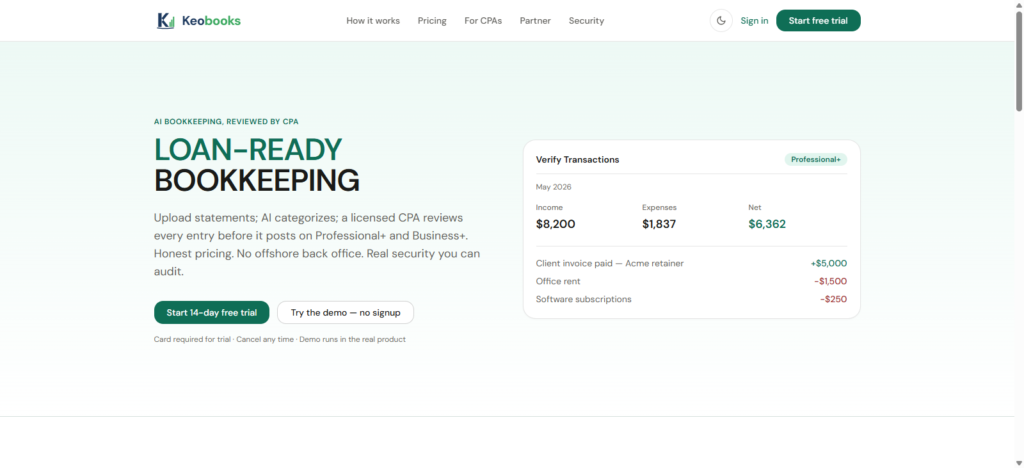
KEOBOOKS combines AI-powered bookkeeping with a structured monthly accounting workflow. Professional+ and Business+ add CPA review of every AI-proposed entry before posting, along with broader financial reporting and other features designed for growing businesses.
For an e-commerce business looking to spend less time processing financial records and more time growing the store, the right bookkeeping software can become an important part of the financial infrastructure behind the business.
Ready to simplify your e-commerce bookkeeping? Start your 14-day KEOBOOKS trial.
How KEOBOOKS Works for E-commerce Businesses
E-commerce bookkeeping can become complicated quickly. As your store grows, you may have more financial documents to manage, more transactions to categorise, and more expenses to keep track of. Spending hours manually entering and organising this information can take you away from the work of actually running your business.
KEOBOOKS simplifies this process by combining AI-powered bookkeeping with professional CPA review. The platform takes your financial documents, processes the transactions, prepares proposed accounting entries, and on Professional+ and Business+, has a CPA review every proposed entry before it is posted.
Here is how the process works.
1. Upload Your Financial Documents
The process starts with the financial records you already have.
You can upload:
- Bank statements
- Credit-card statements
- Receipts
- Vendor invoices
- 1099s
KEOBOOKS sends customer documents directly to Google Cloud Storage using short-lived signed URLs. The files are stored in a tenant-scoped location and do not pass through the KEOBOOKS API.
This means you can start the bookkeeping process by providing your financial documents rather than manually entering every transaction.
2. AI Extracts and Processes Your Transactions
After your documents are uploaded, KEOBOOKS’ AI pipeline reads the information and extracts the relevant transactions.
The system then generates double-entry journal-entry proposals against your seeded chart of accounts. Each proposal receives a confidence score, providing an indication of how confident the system is in its proposed classification.
For an e-commerce business, this helps automate some of the repetitive work involved in turning financial documents into organized bookkeeping records.
3. Your Entries Are Reviewed by a CPA
This is where KEOBOOKS differs from an AI-only bookkeeping solution.
On Professional+ and Business+, Brickstone & Associates, a US-licensed CPA practice, reviews every AI-proposed entry before it posts. The CPA can approve the entry, reject it, or edit it before approving it.
This creates a workflow where AI handles the initial processing while a qualified accounting professional provides review before the entries become part of the final books.
If you choose Starter, the process is AI-only. High-confidence proposals can auto-post, and reports carry a clear disclosure that they are AI-prepared, not CPA-reviewed.
4. Your Books Go Through a Monthly Close
KEOBOOKS doesn’t simply process transactions and leave the books open indefinitely.
The platform uses a structured monthly close process:
Cutoff → Reconciliation Tasks → Adjusting Journal Entries → CPA Sign-Off → Period Locked
At close, a snapshot of every report is persisted. This means the financial statements you saw for a closed month do not change unless the period is explicitly reopened.
For an e-commerce business, this provides a defined accounting process for moving from one month to the next.
5. Get Financial Reports for Your Business
Once your books have been processed and closed, KEOBOOKS provides financial reporting that can help you understand how your business is performing.
Professional+ and Business+ include:
- Profit & Loss
- Balance Sheet
- Cash Flow
KEOBOOKS also maintains a General Ledger as part of its loan-ready financial reporting.
Instead of relying solely on sales dashboards from your e-commerce platform, these financial statements provide a broader accounting view of your business.
6. Keep Your Books Ready for Financing
Growing an e-commerce business often requires capital for inventory, marketing, expansion, or working capital. When you’re ready to seek financing, having clean financial records can make the process easier.
KEOBOOKS is designed to produce loan-ready financials. The platform maintains a clean, double-entry ledger and produces financial statements, including Profit & Loss, Balance Sheet, and General Ledger, that reconcile to your bank activity.
On Professional+ and Business+, a CPA reviews the underlying entries before they post.
KEOBOOKS prepares the books; it does not originate or guarantee loans.
7. Scale Your Bookkeeping as Your Store Grows
Your bookkeeping requirements can change significantly as your e-commerce business grows.
A small online seller may need only basic bookkeeping, while a larger operation may need more users, unlimited transaction capacity, multiple-entity reporting, or integrations.
KEOBOOKS Professional+ provides unlimited transactions and supports up to five users. Business+ provides unlimited users and adds multi-entity rollups, a public REST API, and webhooks.
This gives growing businesses a way to move toward more advanced bookkeeping capabilities as their financial operations become more complex.