Bookkeeping Software for a Growing Small Business: When Should You Automate?

At first, bookkeeping doesn’t feel like a problem.
You start your small business with a few invoices, a handful of expenses, and one bank account. Keeping track of everything might take an hour or two each week, so you handle it yourself. It feels manageable.
Then the business starts growing.
More customers. More invoices. More expenses. More transactions. Maybe you hire your first employee, open another bank account, start selling through different channels, or begin working with vendors across the country. Suddenly, that “quick bookkeeping task” that used to take an hour is eating up an entire afternoon.
And that’s when many small business owners find themselves asking an important question:
“When should I stop doing my bookkeeping manually and start automating it?”
The answer isn’t necessarily when your business reaches a certain revenue figure or number of employees. It’s when manual bookkeeping starts taking time away from the work that actually grows your business or when the risk of missed transactions, errors, and outdated financial information becomes too high.
The right bookkeeping software for a growing small business can automate repetitive tasks, organize your financial records, simplify reconciliation, and give you a clearer picture of where your money is going.
But automation isn’t something you should adopt simply because your business is growing. You need to know what to automate, when to automate it, and which bookkeeping tasks should still have a human reviewing them.
What Should a Growing Small Business Automate First?
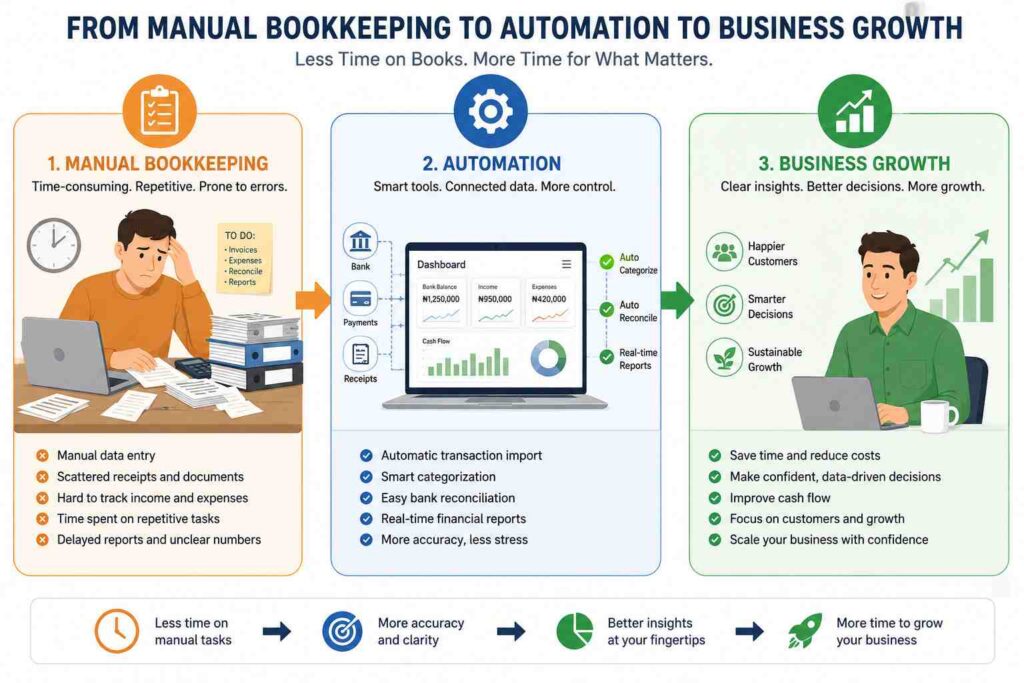
The smarter approach is to start with the bookkeeping tasks that are repetitive, time-consuming, and prone to human error. Once those tasks are running smoothly, you can gradually automate more of your financial workflow.
Here are some of the best places for a growing small business to start.
1. Expense Tracking
Expense tracking is one of the easiest bookkeeping tasks to automate.
As your business grows, expenses can come from dozens of places, bank transactions, suppliers, subscriptions, utilities, online services, and more. Recording each transaction manually can quickly become tedious.
Bookkeeping software can help bring these transactions into one place, organize expenses into categories, and make it easier to keep your records up to date.
Instead of spending hours asking, “Where did this money go?”, you can spend that time asking the more important question: “What should we do with the money next?”
2. Invoicing and Payment Tracking
Getting paid is the whole point of running a business, but keeping track of who has paid, who hasn’t, and which invoices are overdue can become surprisingly difficult as your customer base grows.
Automated invoicing tools can help you:
- Create and send invoices faster
- Keep track of outstanding invoices
- Monitor customer payments
- Reduce missed follow-ups
- Keep your accounts receivable organized
This is especially useful for businesses that send recurring invoices or manage a large number of customers.
3. Bank Reconciliation
Bank reconciliation may not be the most exciting bookkeeping task, but it’s one of the most important—and one of the easiest to turn into a repetitive chore.
As transactions increase, manually comparing your bank statement with your bookkeeping records takes more time and creates more opportunities for mistakes.
With bookkeeping software that connects to your bank accounts, transactions can be imported automatically, making it easier to match your records with your actual bank activity.
You still need to review your accounts, but you don’t necessarily need to enter every transaction by hand.
4. Income and Expense Categorization
Knowing how much money came into your business is useful. Knowing where that money came from and where it went is even more useful.
Automated bookkeeping software can help categorize transactions based on predefined rules and previous activity. For example, recurring software subscriptions can consistently be assigned to the appropriate expense category.
This doesn’t mean you should blindly trust automation. Regular reviews are still important. But letting software handle predictable transactions can significantly reduce manual work.
5. Financial Reporting
When you’re running a growing business, you shouldn’t have to wait until the end of the month—or until your accountant finishes working through a spreadsheet to understand how the business is performing.
Automated reporting can make important financial information easier to access, including:
- Revenue
- Expenses
- Profit and loss
- Cash flow
- Outstanding invoices
- Business expenses
The goal isn’t simply to produce more reports. It’s to make your financial information available when you need it to make decisions.
6. Recurring Bookkeeping Tasks
Look at your bookkeeping and ask yourself:
“What am I doing every week or every month that looks almost exactly the same?”
Those are often your best candidates for automation.
Recurring expenses, invoices, transaction categorization, payment reminders, and routine reports can all potentially be streamlined depending on the software you use.
The more predictable a task is, the more attractive it becomes as an automation opportunity.
How Much Can Bookkeeping Automation Save a Small Business?
For a growing small business, the cost of bookkeeping isn’t limited to what you pay a bookkeeper or accountant. There’s also the value of the time you or your employees spend entering transactions, organizing receipts, reconciling bank accounts, sending invoices, and preparing financial reports.
As your business grows, those hours can add up quickly.
Imagine you’re spending four hours every week keeping your books up to date. That’s roughly 16 hours a month, two full workdays that could otherwise be spent serving customers, generating sales, marketing your business, or planning your next stage of growth.
That’s where bookkeeping automation can make a difference.
Time Is One of Your Most Valuable Business Assets
For a small business owner, time is often more valuable than money.
Every hour spent manually entering transactions or updating spreadsheets is an hour you’re not spending on activities that directly contribute to growth.
For example, if you spend 15 hours a month on bookkeeping and value your time at $50 per hour, you’re effectively spending $750 worth of your time each month on bookkeeping.
That doesn’t mean software will eliminate all of those hours or that every business owner should value their time at exactly $50 per hour. The point is to understand the real cost of manual bookkeeping.
Automation Can Reduce Repetitive Bookkeeping Tasks
Depending on the software you choose, automation can help streamline tasks such as:
- Importing transactions from connected bank accounts
- Categorizing income and expenses
- Creating and sending invoices
- Tracking outstanding invoices
- Reconciling bank transactions
- Generating financial reports
- Organizing financial records
Instead of spending your time performing every repetitive task manually, you can focus more on reviewing your financial information and making decisions based on it.
There’s Also a Cost to Bookkeeping Errors
The potential savings aren’t only about time.
A forgotten invoice, duplicate transaction, incorrectly categorized expense, or unreconciled bank account can create additional work and make it harder to understand your business’s actual financial position.
Automation doesn’t make bookkeeping completely error-proof. You still need to review transactions and financial reports regularly. However, reducing repetitive manual data entry can make your bookkeeping process more organized and easier to manage.
You can estimate the potential value of bookkeeping automation with a simple calculation:
Hours spent on bookkeeping × value of your time = estimated monthly time cost
For example:
15 hours × $50/hour = $750 per month
Now compare that figure with the cost of bookkeeping software and any professional bookkeeping or accounting support your business still requires.
The goal isn’t necessarily to eliminate bookkeeping costs altogether. It’s to determine whether automation can reduce the time and administrative effort required to keep your financial records accurate and up to date.
How KeoBooks Helps Growing Small Businesses Automate Bookkeeping
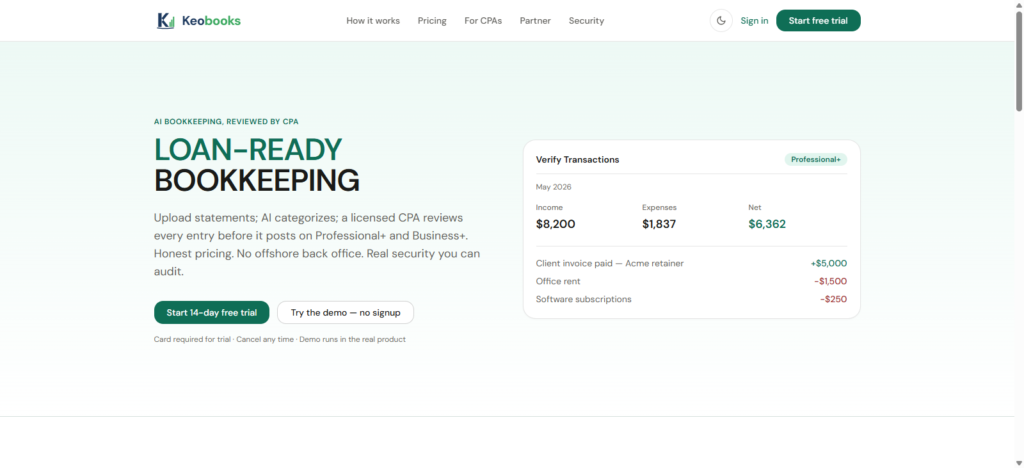
Growth is exciting until the systems that worked when your business was small start slowing you down.
What once took 30 minutes can suddenly take half a day. More customers mean more invoices. More sales mean more transactions. More employees and vendors mean more expenses to track. Before long, bookkeeping can become one of those tasks that keeps getting pushed to the end of the week.
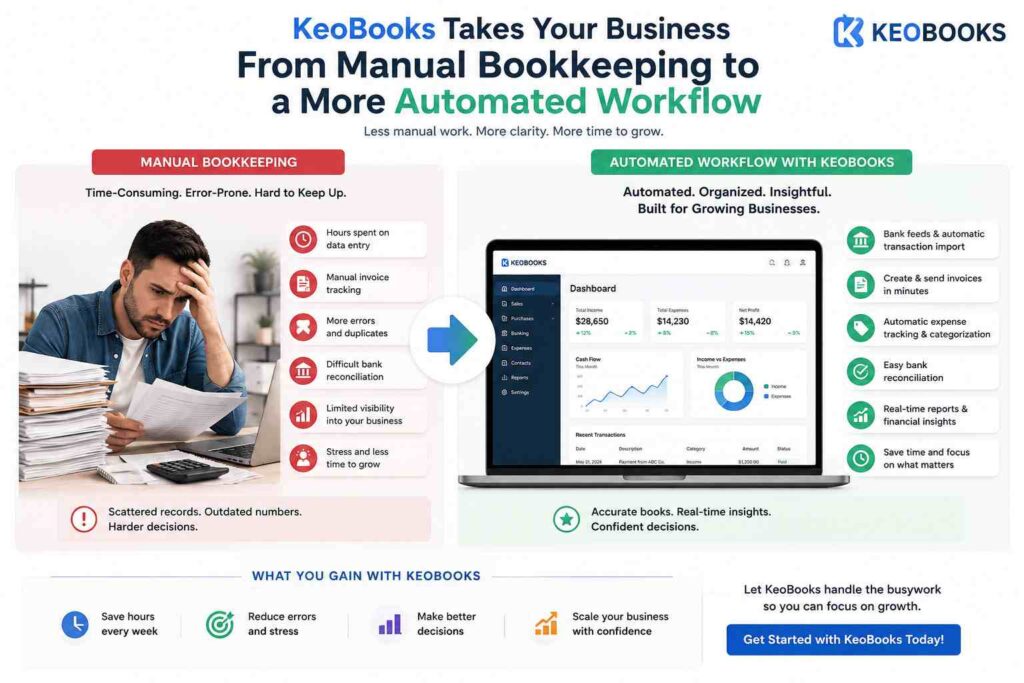
KeoBooks is built to help growing small businesses bring more structure and efficiency to their bookkeeping without making financial management unnecessarily complicated.
Instead of relying on spreadsheets, scattered records, and repetitive manual processes, businesses can use KeoBooks to organize their financial information and spend less time dealing with routine bookkeeping tasks.
a. Keep Your Financial Records Organized
As a business grows, financial information can quickly become difficult to keep track of.
KeoBooks gives you a centralized place to manage your bookkeeping, helping you keep your income, expenses, transactions, and other financial information organized.
Having your financial information in one system also makes it easier to understand what’s happening in the business without having to piece together information from different spreadsheets or records.
b. Spend Less Time on Repetitive Bookkeeping
Not every bookkeeping task requires your attention.
Routine activities such as recording transactions, tracking expenses, managing invoices, and keeping financial records updated can consume valuable time when handled manually.
KeoBooks helps streamline these processes so you can spend less time on repetitive administrative work and more time running your business.
The goal isn’t to remove you from your finances. It’s to give you more time to focus on the parts of your finances that actually require your attention.
c. Keep Track of Income and Expenses
Knowing how much money is coming into your business is important. Knowing where it’s going is just as important.
With KeoBooks, growing businesses can keep better track of their income and expenses, making it easier to monitor financial activity and identify where money is being spent.
That visibility can help you make more informed decisions about spending, pricing, cash flow, and growth.
d. Get a Clearer Picture of Your Business
Bookkeeping shouldn’t be something you only think about when tax season arrives.
Up-to-date financial information can help you understand how your business is performing throughout the year.
With organized bookkeeping and accessible financial information, you can get a clearer view of things like revenue, expenses, profitability, and overall financial performance.
That means your books become more than a record of what already happened; they become a tool for making better business decisions.
e. Build a Bookkeeping System That Can Grow With You
The bookkeeping process you use when you’re just starting out may not be enough when your business begins to scale.
More customers, employees, transactions, vendors, and financial accounts can quickly increase the workload.
That’s why it’s important to choose bookkeeping software that can grow alongside your business.
KeoBooks can help you move away from increasingly complicated manual processes and toward a more structured bookkeeping workflow, so growth doesn’t automatically mean more administrative work.
f. Spend Less Time on Your Books. Spend More Time Growing Your Business.
You didn’t start your business because you wanted to spend your evenings updating spreadsheets.
You started it to build something.
As your business grows, your bookkeeping system should support that growth not become another obstacle standing in its way. With KeoBooks, you can bring your bookkeeping into a more organized system, streamline routine tasks, and gain better visibility into your business finances.
The earlier you build a scalable bookkeeping process, the easier it can be to manage your finances as your business grows.
2 thoughts on “Bookkeeping Software for a Growing Small Business: When Should You Automate?”