Best Bookkeeping Sotware for Freelancers: What Should You Track?

You finish the project, send the invoice, and finally get paid. Another client is happy, your bank balance looks good, and for a moment, everything feels under control.
Then tax season arrives.
Suddenly, you’re digging through bank statements trying to remember which payment came from which client.
You’re scrolling through emails looking for receipts, wondering how much you actually spent on software subscriptions, internet, advertising, equipment, and other business expenses. And that “good-looking” bank balance? It doesn’t tell you how much of it is actually profit.
This is where bookkeeping becomes more than just keeping records.
For freelancers, good bookkeeping helps you understand where your money is coming from, where it’s going, what you can claim as a business expense, and whether your freelance business is genuinely becoming more profitable. The right bookkeeping software can make this process much easier, but only if you know what you should actually be tracking.
So, what should a freelancer track? And what features should you look for when choosing the best bookkeeping software for freelancers?
What Should Freelancers Track?
If you’re a freelancer, it’s easy to think bookkeeping simply means keeping track of how much money hits your bank account.
But your bank balance only tells you how much money you have right now. It doesn’t tell you how much you actually earned, how much it cost you to earn it, who still owes you money, or whether your freelance business is becoming more profitable.
That’s why effective bookkeeping goes beyond recording payments. You need to track the financial activity that tells the complete story of your business.
Here are the key things every freelancer should keep an eye on.
1. Freelance Income
Start with the obvious: money coming into your business.
Every payment from a client should be recorded, whether it’s a ₦50,000 one-off project or a ₦1 million retainer.
Ideally, your records should show:
- Client name
- Amount earned
- Invoice number
- Date of the invoice
- Date payment was received
- Payment method
- Service or project
- Currency, if you work with international clients
Tracking income this way makes it much easier to answer questions such as, “How much did I make this month?” or “Which clients generated the most revenue this year?”
It also gives you a much more reliable picture of your business than simply checking your bank account.
2. Business Expenses
Now look at the other side of the equation: where your money goes.
A freelancer might receive ₦800,000 in a month and feel like they’ve had a great month. But if ₦250,000 went toward software, internet, equipment, advertising, transportation, contractors, and other business costs, the actual picture is very different.
That’s why you should record your business expenses consistently.
Common freelance expenses can include:
- Software and subscriptions
- Internet and data
- Laptop and other equipment
- Advertising and marketing
- Website and hosting costs
- Professional services
- Coworking or office expenses
- Business-related transportation
- Payment processing fees
- Freelancers or contractors you hire
Keeping these expenses organized helps you understand your actual business costs and profitability.
3. Invoices and Outstanding Payments
Getting an invoice out doesn’t mean you’ve been paid.
If you have five clients and three of them haven’t paid yet, your bank balance may make your business look less successful than it actually is. On the other hand, assuming unpaid invoices are already income can give you an equally misleading picture.
Track:
- Invoices you’ve sent
- Amount owed
- Payment due dates
- Paid invoices
- Unpaid invoices
- Overdue invoices
- Client payment history
This makes it easier to follow up with clients and maintain a healthier cash flow.
4. Client Revenue
Not all clients contribute equally to your business.
One client might pay you ₦500,000 every month, while another generates ₦50,000 once every few months. Tracking revenue by client helps you see where your income is actually coming from.
Over time, this can help you identify:
- Your highest-value clients
- Your most consistent clients
- Repeat customers
- Services that generate the most revenue
- Clients that may not be profitable relative to the time they require
These insights can influence decisions about pricing, client acquisition, and where you spend your time.
5. Project or Service Income and Costs
If you work on different projects, don’t only track what each project earns. Track what it costs you to deliver it.
For example, imagine you charge a client ₦600,000 for a project. You then spend ₦100,000 on a contractor and another ₦50,000 on tools and other project-related costs.
Your revenue is ₦600,000—but your project didn’t really put ₦600,000 in your pocket.
Tracking project income and expenses can help you understand which types of work are genuinely profitable.
6. Recurring Expenses
Small monthly subscriptions have a habit of becoming surprisingly large annual expenses.
A ₦15,000 monthly software subscription might not seem significant. But that’s ₦180,000 over a year and you may have ten other subscriptions doing the same thing.
Keep track of recurring expenses such as:
- Design software
- AI tools
- Cloud storage
- Website hosting
- Domain renewals
- Accounting software
- Project management platforms
- Email marketing tools
Regularly reviewing these expenses can help you identify subscriptions you’re no longer using and reduce unnecessary costs.
7. Business Cash Flow
Profit and cash flow aren’t always the same thing.
You could have ₦1 million worth of invoices outstanding and technically have generated significant revenue, but if your clients haven’t paid yet, you may still struggle to cover this month’s expenses.
Tracking your cash flow helps you understand:
What’s coming in, what’s going out, and when?
This is particularly important for freelancers because income can be inconsistent from month to month.
8. Receipts and Financial Records
Don’t overlook the paperwork behind your transactions.
Keep your invoices, receipts, payment records, and other relevant financial documents organized. Having these records available can make financial reviews, bookkeeping, and tax preparation much easier.
Rather than searching through your email or phone gallery months later trying to find a receipt, build a habit of recording and organizing financial information as you go.
What Features Should the Best Bookkeeping Software for Freelancers Have?
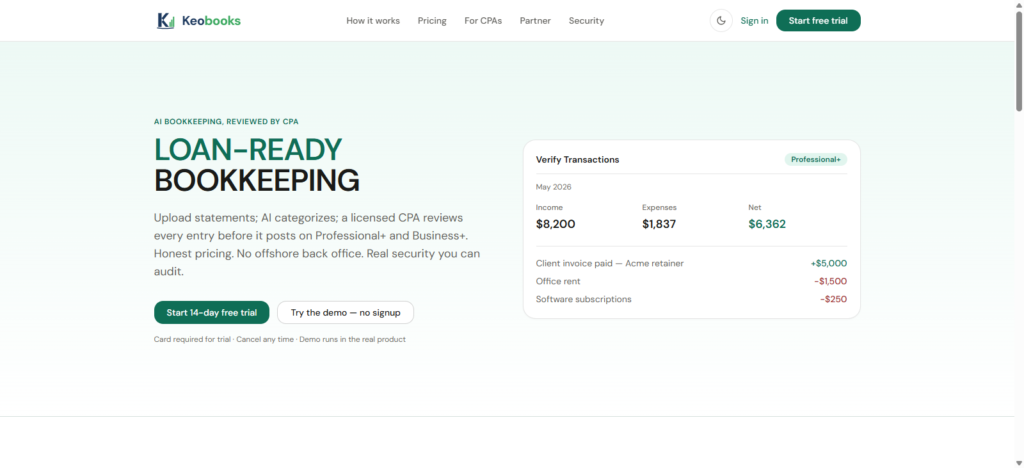
The best bookkeeping software for freelancers should make this part of the business easier, not give you another complicated system to learn.
You don’t necessarily need dozens of advanced accounting features. What you need is a simple way to know what you earned, what you spent, who owes you money, and how profitable your business really is.
Here are some of the features worth looking for.
1. Easy Income Tracking
Freelancers may receive payments from several clients through different channels. Without a proper system, it can be surprisingly easy to lose track of where your money came from.
Good bookkeeping software should make it easy to record and categorize income, giving you a clear picture of your earnings over a specific period.
With KeoBooks, freelancers can keep their financial information organized in one place instead of relying on scattered spreadsheets, bank statements, and notes.
2. Simple Expense Tracking
Making money is only half the story. You also need to know where that money is going.
From internet subscriptions and software tools to advertising, equipment, transportation, and professional services, small expenses can quickly add up.
Your bookkeeping software should allow you to record and categorize expenses easily. This makes it easier to understand your operating costs and identify where you may be spending more than necessary.
More importantly, you won’t have to wait until the end of the month—or worse, tax season—to try to remember what you spent money on.
3. Invoicing and Payment Tracking
For freelancers, an invoice isn’t just a document you send to a client. It’s a promise of future revenue.
The problem is that sending an invoice doesn’t mean you’ve been paid.
The best bookkeeping software should help you keep track of both invoices you’ve issued and payments you’ve received. You should be able to quickly identify which clients have paid, which invoices are outstanding, and which payments need a follow-up.
Having invoicing and bookkeeping working together can also reduce the amount of information you have to enter manually.
4. Clear Profit and Loss Reports
Your total income can look impressive while your actual profit tells a completely different story.
Imagine generating ₦1 million from freelance projects but spending ₦400,000 on tools, contractors, advertising, equipment, and other business costs. Your revenue is ₦1 million, but that’s not the same as having ₦1 million in profit.
Good bookkeeping software should turn your financial activity into understandable reports so you can see your income, expenses, and profitability without having to build complicated spreadsheets yourself.
This is one area where a platform like KeoBooks can become particularly useful as your freelance business grows: instead of simply recording transactions, you can use your financial information to understand how the business is performing.
5. Bank and Transaction Management
Manually entering every financial transaction can become tedious once you have regular client payments and business expenses.
Look for software that can help you organize transactions and connect your financial activity to your bookkeeping workflow. The less time you spend copying numbers between different systems, the more time you can spend on actual client work.
6. Receipt and Financial Record Organization
That ₦25,000 expense you made three months ago may seem insignificant today—but when you need to understand your expenses later, you’ll want to know exactly what it was for.
The best bookkeeping software should make it easier to maintain organized financial records, including receipts and supporting documents.
This can save you from the familiar freelancer experience of searching through email attachments, WhatsApp conversations, phone galleries, and random folders for a receipt you know you saved somewhere.
7. An Easy-to-Understand Dashboard
You shouldn’t need to be an accountant to understand your own business.
A good dashboard should give you a quick snapshot of important numbers, such as:
- How much you’ve earned
- How much you’ve spent
- Outstanding invoices
- Recent transactions
- Overall business performance
The goal is simple: open your bookkeeping software and understand what is happening with your money.
That’s the kind of simplicity freelancers should look for when evaluating a platform like KeoBooks.
8. Scalability as Your Freelance Business Grows
You might start with two clients and a handful of monthly expenses. A year later, you could have ten clients, recurring contracts, subcontractors, multiple income streams, and significantly more transactions.
Your bookkeeping system shouldn’t become a bottleneck as your business grows.
Choose software that can support you beyond your current situation, so you don’t have to completely rebuild your financial management system every time your freelance business reaches a new level.
The Best Bookkeeping Software Should Make Your Life Easier
Ultimately, the best bookkeeping software for freelancers isn’t necessarily the one with the longest list of features. It’s the one that helps you stay organized without turning bookkeeping into another full-time job.
You should be able to answer basic questions quickly:
How much did I make?
How much did I spend?
Who still owes me money?
What are my biggest expenses?
Am I actually profitable?
If your current system makes answering these questions difficult, it may be time for a better approach.
KeoBooks gives freelancers a simpler way to organize their income, expenses, invoices, and financial records, so you can spend less time worrying about your books and more time building your business.
How KeoBooks Helps Freelancers Manage Their Finances
KeoBooks helps bring those financial tasks into one organized system, so you can spend less time chasing numbers and more time growing your freelance business.
a. Keep Your Income Organized
Freelancers can have several clients paying at different times, through different channels, and for different projects. Without a proper system, it can be difficult to know exactly how much you’ve earned during a particular period.
KeoBooks helps you keep your income records organized, giving you a clearer picture of your revenue and making it easier to monitor your financial performance.
Instead of asking, “How much did I make this month?”, you can have your numbers organized and ready to review.
b. Track and Categorize Your Expenses
Your revenue isn’t the whole story. A freelancer who earns ₦1 million but spends ₦400,000 running the business hasn’t actually made ₦1 million in profit.
That’s why tracking expenses matters.
With KeoBooks, you can organize business expenses such as software subscriptions, internet and data, advertising, equipment, professional services, and other costs associated with running your freelance business.
Having these expenses recorded gives you a more realistic view of where your money is going and how much you’re actually keeping.
c. Manage Invoices and Payments
Getting the job done is only half the process. You also need to get paid.
Keeping track of invoices can become challenging when you’re working with multiple clients. An invoice may be sent today, another may be due next week, while an older one may already be overdue.
KeoBooks can help you keep your invoicing and payment records organized, making it easier to keep track of what you’ve billed, what’s been paid, and what still needs your attention.
d. Understand Your Profit
One of the biggest advantages of proper bookkeeping is knowing whether your freelance business is actually profitable.
Revenue tells you how much money came in. Expenses tell you how much went out. Profit helps you understand what’s left.
With organized financial records and reports, KeoBooks can help you get a clearer picture of your business performance and make more informed decisions about pricing, spending, clients, and growth.
e. Spend Less Time on Bookkeeping
The goal isn’t to turn every freelancer into an accountant.
It’s to make financial management easier.
Instead of maintaining complicated spreadsheets, searching through receipts, or trying to reconstruct months of transactions from memory, a bookkeeping platform can help you keep your records organized as you work.
That means less time spent trying to figure out your books at the end of the month and more time focused on your clients and your next project.
f. Build Better Financial Habits as You Grow
You don’t need to wait until you have dozens of clients or a large team before taking bookkeeping seriously.
Starting with good financial habits early makes it much easier to manage your business as it grows.
Whether you’re a designer with five clients, a developer working on international projects, a consultant billing companies each month, or a creator turning your skills into a full-time business, KeoBooks gives you a more organized way to stay on top of your finances.