Bookkeeping Software for Businesses Preparing for Tax Season

Tax season has a way of exposing bookkeeping problems that were easy to ignore during the rest of the year.
A business owner may have spent the year focused on sales, customers, employees, and growth, only to discover when tax preparation begins that receipts are scattered across email inboxes, expenses haven’t been properly categorized, and the books are months behind. What seemed like a small bookkeeping issue can quickly turn into hours of searching, correcting transactions, and trying to reconstruct the business’s financial activity.
The right bookkeeping software for businesses preparing for tax season can make this process much easier. Instead of waiting until tax deadlines are approaching to organize your finances, you can maintain your books throughout the year, process financial documents, categorize transactions, and keep your financial records ready for your tax preparer.
What Does “Tax-Ready Books” Mean?
Tax-ready books are financial records that are current, organized, and sufficiently accurate for a business owner and their tax professional to use when preparing a tax return.
Being tax-ready doesn’t simply mean having a year’s worth of bank statements. Your bookkeeping should provide a clear record of the business’s income, expenses, assets, liabilities, and other relevant financial activity.
Before tax season, your books should generally be:
a. Up to Date
All relevant business transactions should be recorded through the appropriate accounting period. Leaving months of transactions unrecorded can make it difficult to determine your actual financial position.
b. Properly Categorized
Income and expenses should be assigned to appropriate accounting categories. Incorrect classifications can distort your financial statements and create additional work during tax preparation.
c. Reconciled
Your bookkeeping records should be checked against your bank and other financial accounts. Reconciliation can help identify missing, duplicate, or incorrectly recorded transactions.
d. Supported by Documentation
Receipts, invoices, bank statements, credit-card statements, 1099s, and other relevant financial documents should be organized and accessible. These records provide important support for the transactions recorded in your books.
e. Separated Between Business and Personal Activity
Business and personal transactions should be properly distinguished. Mixing the two can make bookkeeping more complicated and may require additional review before financial information is used for tax preparation.
f. Ready to Produce Financial Reports
Your bookkeeping should be capable of producing useful financial reports, such as a Profit & Loss statement and Balance Sheet, that summarize the business’s financial activity.
What to Look for in Bookkeeping Software Before Tax Season
The right bookkeeping software can make tax season significantly easier—but not every bookkeeping platform is built the same way. Before choosing one, look for features that help you keep your financial records organized throughout the year, not simply generate numbers when a tax deadline approaches.
Here are the most important features to consider.
a. Automated Transaction Categorization
Manually categorizing every transaction can become one of the most time-consuming parts of bookkeeping. Look for software that can automatically process transactions and suggest appropriate accounting classifications.
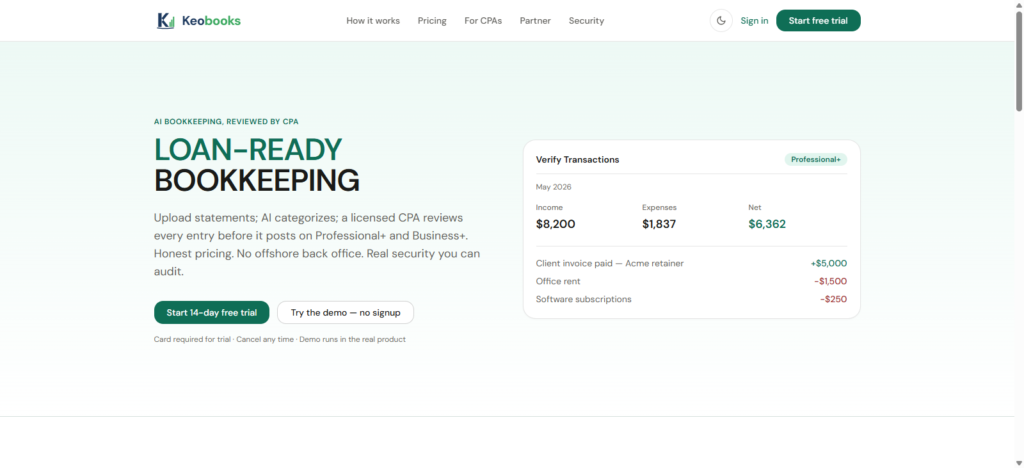
KEOBOOKS uses an AI pipeline to read financial documents, extract transactions, and produce proposed double-entry journal entries against a seeded chart of accounts. Each proposal also receives a confidence score.
This allows businesses to automate much of the repetitive bookkeeping work while maintaining a structured accounting process.
b. Bank, Credit-Card, and Document Processing
Your bookkeeping software should make it easy to get the financial information needed for your books into the system.
Look for support for documents such as:
- Bank statements
- Credit-card statements
- Receipts
- Vendor invoices
- 1099s
KEOBOOKS supports these types of financial documents, while Professional+ and Business+ include bank, card, and document ingestion with extraction.
c. Proper Double-Entry Bookkeeping
A tax-ready bookkeeping system should be built on proper accounting records rather than simply showing money coming in and going out.
KEOBOOKS maintains a double-entry ledger and uses AI to propose journal entries against the company’s chart of accounts.
This provides the accounting foundation needed to produce meaningful financial statements and maintain organized books.
d. Bank Reconciliation
Reconciliation is another feature to prioritize.
Your bookkeeping records should be checked against your bank activity so that discrepancies, missing transactions, or errors can be identified before tax preparation begins.
KEOBOOKS incorporates reconciliation into its monthly close process:
Cutoff → Reconciliation Tasks → Adjusting Journal Entries → CPA Sign-Off → Period Locked.
This means businesses aren’t simply recording transactions; they’re moving through a defined process to close each accounting period.
e. CPA Review
If you want additional professional oversight, look for bookkeeping software that offers CPA review rather than relying entirely on automation.
KEOBOOKS Professional+ and Business+ have Brickstone & Associates, a US-licensed CPA practice, review every AI-proposed entry before it posts. The CPA can approve, reject, or edit the proposed entry.
This is an important distinction between AI-only bookkeeping and AI-assisted bookkeeping with professional review.
KEOBOOKS Starter is AI-only, and its reports clearly disclose that they are AI-prepared and not CPA-reviewed.
f. Financial Statements
Your bookkeeping software should make it easy to generate the financial reports needed to understand your business before handing your records to a tax professional.
At a minimum, look for:
- Profit & Loss
- Balance Sheet
- Cash Flow
KEOBOOKS Professional+ and Business+ provide monthly P&L, Balance Sheet, and Cash Flow reporting.
Having current financial statements can make it easier to review your business’s financial position before tax preparation begins.
g. A Structured Monthly Close
One of the biggest mistakes businesses can make is treating bookkeeping as a once-a-year task.
Look for software that supports a consistent monthly process rather than leaving your books open indefinitely.
KEOBOOKS closes accounting periods through a defined workflow that includes reconciliation, adjusting journal entries, CPA sign-off, and period locking. A snapshot of each report is persisted at close, so closed-period numbers do not change without an explicit reopening.
That gives businesses a more consistent way to maintain their books throughout the year.
h. Tax Filing or Tax Handoff Support
Some bookkeeping platforms stop at bookkeeping, while others include tax-related services.
Understand exactly what your chosen software provides.
With KEOBOOKS, Business+ includes business income tax filing prepared and filed by Brickstone & Associates. On Starter and Professional+, KEOBOOKS produces the books a tax preparer needs, while Brickstone offers tax preparation as a separate professional service.
This distinction is important when comparing the total value of different bookkeeping solutions.
i. A Clear Difference Between AI and Human Work
If you’re considering AI bookkeeping, transparency should be part of your evaluation.
You should know:
- What does the AI actually do?
- Who reviews the entries?
- When does human review happen?
- What happens when the AI is uncertain?
- Are accounting periods formally closed?
KEOBOOKS explicitly separates these responsibilities. AI processes documents and proposes entries, while Professional+ and Business+ add CPA review before those entries post.
That makes the workflow easier to understand than simply labelling a product “AI bookkeeping.”
What Business Owners Should Do Before Tax Season
Tax preparation becomes much easier when your bookkeeping is already organized. Instead of waiting until the deadline is approaching, business owners should use the months leading up to tax season to review their financial records, resolve outstanding issues, and make sure their books accurately reflect the business.
Here are the key steps to take before handing your records to a tax professional.
1. Bring Your Bookkeeping Up to Date
Start by making sure all business transactions have been recorded through the most recent accounting period.
Check that you have captured:
- Sales and other business income
- Operating expenses
- Vendor payments
- Business purchases
- Loan payments
- Credit-card transactions
- Other relevant financial activity
If your books are several months behind, catching up should be the first priority. Your tax preparer can only work with the financial information available in your records.
2. Reconcile Your Bank Accounts
Compare the transactions in your bookkeeping records with your actual bank statements.
Bank reconciliation can help identify:
- Missing transactions
- Duplicate entries
- Incorrect amounts
- Unrecorded fees
- Outstanding transactions
Do the same for your business credit cards and other financial accounts where applicable.
3. Review Your Income
Make sure all business income has been properly recorded.
Review deposits and other sources of revenue and compare them against your sales records and other supporting documentation. If you use multiple bank accounts, payment processors, or sales channels, make sure the relevant income has been accounted for consistently.
4. Review and Categorize Expenses
Go through your business expenses and check that transactions have been assigned to appropriate categories.
Pay particular attention to unusual or significant expenses. Incorrect categorization can affect the way your financial statements present the business and may require additional work during tax preparation.
If you aren’t sure how a particular expense should be treated for tax purposes, flag it for your tax professional rather than making an assumption.
5. Organize Receipts and Invoices
Gather the documentation that supports your business transactions.
This may include:
- Receipts
- Vendor invoices
- Bank statements
- Credit-card statements
- 1099s
- Other financial documents
Keeping these records organized makes it easier to answer questions and provide supporting information when your tax professional needs it.
6. Separate Business and Personal Transactions
Review your accounts for personal transactions that may have been mixed with business activity.
Ideally, business and personal finances should be kept separate. If transactions have been mixed, identify them and make sure they are properly accounted for before your books are finalized.
7. Check for Outstanding Bookkeeping Issues
Before tax preparation begins, look for transactions that still need attention.
For example:
- Uncategorized transactions
- Missing documentation
- Unreconciled accounts
- Duplicate transactions
- Unclear payments
- Unusual transfers
Resolving these issues ahead of time can reduce the amount of cleanup required during tax preparation.
8. Review Your Financial Statements
Once your bookkeeping is current and accounts have been reconciled, review your financial statements.
At a minimum, business owners should understand their:
- Profit & Loss
- Balance Sheet
- Cash Flow
Reviewing these reports isn’t just useful for taxes. It also gives you an opportunity to identify unusual changes in revenue, expenses, assets, liabilities, or cash position before finalizing your financial records.
9. Review Loans and Business Debt
Make sure your bookkeeping records accurately reflect your business’s loans and other debt obligations.
Review outstanding balances, payments, and related transactions so your financial records are consistent with your underlying documentation.
If you’re unsure how particular loan-related transactions should be treated for tax purposes, discuss them with your tax professional.
10. Prepare Your Records for Your Tax Professional
Once your books are current, reconciled, and reviewed, organize the information your tax preparer will need.
Rather than sending a collection of disconnected spreadsheets, receipts, and bank statements, aim to provide a clear and organized set of financial records supported by the underlying documentation.
Your tax professional can then identify any additional information or documents required for your specific tax situation.