Best Bookkeeping Software for a New LLC: What to Set Up First

You finally did it. The LLC is registered, the business name is yours, and for the first time, the idea you’ve been thinking about feels like a real business.
Then the first invoice comes in. A customer pays. You open a business bank account, swipe your card for a few expenses, pay for a subscription, and maybe even send money to yourself. Suddenly, you’re not just running a business; you’re keeping track of its money.
This is where many new LLC owners make a costly mistake: they wait until tax season to figure out their bookkeeping.
By then, transactions may be scattered across bank statements, receipts may be sitting in email inboxes, and you may be wondering which expenses are deductible, how much profit you actually made, or whether your books are even accurate.
The good news? You don’t need a complicated accounting system to get started. The right bookkeeping software can help you separate business and personal finances, track income and expenses, organize transactions, and build clean financial records from day one.
But with so many bookkeeping and accounting tools available, which software is actually right for a new LLC and what should you set up first?
Set Up Your LLC’s Financial Foundation First
Think of your bookkeeping system as the financial foundation of your LLC. If you build it properly from day one, keeping your books, preparing financial reports, and getting ready for tax season becomes much easier.
Here are the key steps to take first.
i. Open a Separate Business Bank Account
One of the most important steps in bookkeeping for a new LLC is separating business finances from personal finances. Open a dedicated business checking account and use it for your company’s income and expenses.
This makes it easier to identify business transactions, reconcile your accounts, track cash flow, and maintain accurate financial records.
Avoid using your personal bank account as your company’s primary account simply because it’s convenient. Mixing personal and business transactions can make LLC bookkeeping unnecessarily complicated and make it harder to determine your actual business income and expenses.
ii. Get a Business Credit or Debit Card
A dedicated business card gives you another layer of separation between your personal and business spending. Use it for legitimate business purchases such as software subscriptions, advertising, office supplies, travel, and other operating expenses.
When your business credit or debit card is connected to your bookkeeping software, transactions can often be imported automatically, reducing the amount of manual data entry required.
iii. Create a Simple Chart of Accounts
Your chart of accounts is essentially the structure that organizes your business’s financial transactions. It typically includes categories for:
- Income and sales
- Advertising and marketing
- Software and subscriptions
- Office expenses
- Professional services
- Travel
- Payroll or contractor expenses
- Bank fees
- Assets
- Liabilities
- Owner’s equity
You don’t need hundreds of categories when you’re starting out. The goal is to create a system that makes it easy to understand where your money is coming from and where it’s going.
A well-organized chart of accounts also makes your small business financial reporting more useful because you can quickly see your revenue, expenses, and profitability.
iv. Choose Bookkeeping Software Early
You don’t have to wait until your LLC becomes profitable before setting up bookkeeping software for your business. In fact, getting started early is often the better approach.
The right software can help you track income and expenses, connect your business bank accounts, categorize transactions, manage invoices, store financial information, and generate reports.
For a new LLC, prioritize software that is easy to use, affordable, and capable of growing with your business. You want something that simplifies bookkeeping rather than creating another complicated system you have to learn.
v. Create a System for Receipts and Financial Documents
Don’t leave receipts and invoices scattered across your email inbox, phone gallery, or desk. Create a consistent system for storing important financial documents.
Keep records of things such as:
- Business receipts
- Supplier invoices
- Customer invoices
- Bank statements
- Business contracts
- Tax documents
- Payroll records
- Loan documents
Organizing these records from the beginning makes it much easier to support your financial records and find information when you need it.
vi. Establish a Monthly Bookkeeping Routine
Good bookkeeping isn’t something you should think about once a year. Set aside time each month to review your transactions and keep your records up to date.
A simple monthly bookkeeping routine could include:
- Importing or reviewing bank transactions.
- Categorizing income and expenses.
- Matching transactions with receipts.
- Reconciling your bank and credit card accounts.
- Reviewing your profit and loss statement.
- Checking outstanding invoices and bills.
- Setting aside information needed for tax reporting.
The earlier you establish this habit, the easier bookkeeping for your LLC becomes as your transaction volume increases.
Best Bookkeeping Software for a New LLC: What Should You Choose?
Starting an LLC usually comes with a long list of things to figure out: registering the business, opening a business bank account, sending invoices, finding customers, and keeping up with expenses. Bookkeeping software may not feel like the most exciting decision, but choosing the right system early can save you hours of work later.
The best bookkeeping software for a new LLC should do more than simply record income and expenses. It should help you keep your business finances organized, separate personal and business transactions, track cash flow, generate useful financial reports, and make it easier to stay prepared for tax time.
For a new business owner, however, that doesn’t necessarily mean choosing the most advanced or expensive accounting software available. What matters is finding a solution that is easy to use, affordable, and capable of growing with your LLC.
Before choosing accounting software for your new LLC, consider the features you’ll actually use.
1. Income and expense tracking
Your bookkeeping system should make it easy to record money coming into and going out of your business. You should be able to see where your money is being spent and understand whether your LLC is actually profitable.
2. Business bank integration
Connecting your business bank account to your bookkeeping software can reduce manual data entry. Transactions can be imported automatically, making it easier to keep your records current and reconcile your accounts.
3. Automatic transaction categorization
New business owners don’t always know how to categorize every transaction. Software that helps organize expenses into appropriate categories can make day-to-day bookkeeping much simpler.
4. Invoicing and payment tracking
If your LLC provides services or sells products, you need to know which invoices have been paid and which are still outstanding. Having invoicing and bookkeeping in the same system can give you a clearer picture of your accounts receivable and cash flow.
5. Financial reports
At a minimum, your bookkeeping software should help you understand important numbers such as revenue, expenses, profit, and cash flow. Reports such as a profit and loss statement can help you make better business decisions rather than simply keeping records for tax purposes.
6. Receipt and record management
Receipts can quickly become difficult to manage when they’re scattered across email, paper files, and your phone. A bookkeeping solution that helps you organize financial records can make your books easier to maintain.
7. Scalability
Your LLC may start with a handful of monthly transactions but eventually have employees, contractors, multiple revenue streams, or additional financial accounts. Choose small business bookkeeping software that can grow alongside your company instead of forcing you to migrate to another system too soon.
Why KeoBooks Can Be a Good Option for a New LLC
For a new LLC owner, simplicity matters. You don’t want to spend your first few months in business learning a complicated accounting system when you should be focused on building the company.
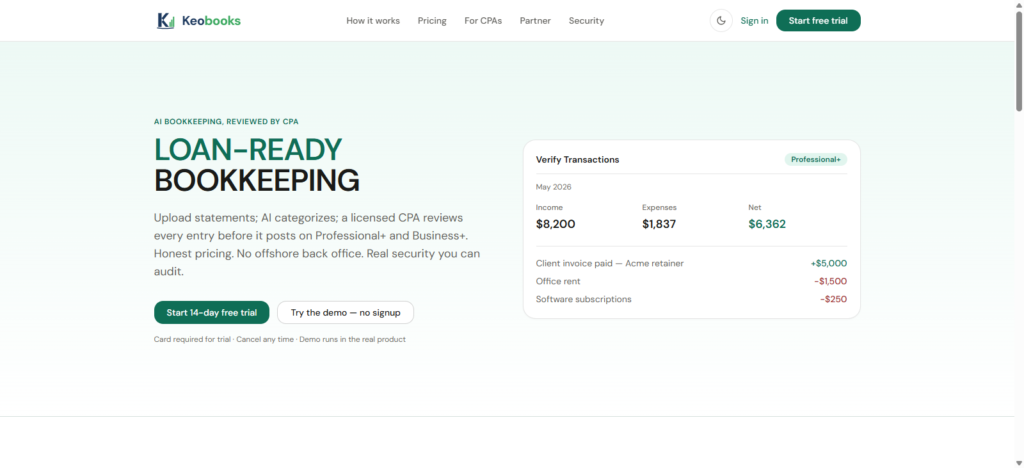
KEOBOOKS is designed to make managing business finances more straightforward, giving small business owners a way to organize their bookkeeping without making the process unnecessarily complicated.
Instead of waiting until the end of the year to figure out where your money went, you can build a consistent bookkeeping routine from the beginning. Keeping your income, expenses, invoices, and financial records organized throughout the year can make it much easier to understand your business and prepare for tax-related obligations.
The right software ultimately depends on your business model, transaction volume, budget, and accounting needs. But if you’re looking for bookkeeping software for an LLC that prioritizes simplicity while giving you the tools to manage your finances as your business grows, KeoBooks is worth considering.
The best time to set up your LLC bookkeeping system is before your transactions become difficult to untangle. Start with a simple system, keep your business finances separate, and choose software that can grow with you.
Your First 30 Days of Bookkeeping as a New LLC
The first month of your LLC sets the tone for how easy or frustrating, bookkeeping will be later. You don’t need to become an accountant overnight. You simply need to build a system that captures every dollar coming in and going out from the beginning.
Here’s a simple 30-day bookkeeping setup you can follow.
Week 1: Separate Your Business Finances
Start by creating a clear financial boundary between you and your LLC.
Open a business bank account and, if appropriate, a dedicated business credit or debit card. Use these accounts for business income and expenses instead of mixing them with personal transactions.
Next, choose your bookkeeping software and connect your business bank accounts. Set up the basic categories you’ll use to organize transactions, such as:
- Sales or service income
- Advertising and marketing
- Software subscriptions
- Office expenses
- Equipment
- Professional services
- Bank fees
- Travel and transportation
The goal isn’t to create dozens of complicated categories. Start with a practical structure that makes it easy to understand where your business money is going.
Week 2: Start Recording Every Transaction
Once your accounts are connected, make sure every business transaction is being captured and categorized correctly.
Review your bank feed regularly and assign each transaction to the appropriate category. Save receipts and invoices as you go rather than letting them accumulate in your email or on your phone.
This is also a good time to establish a simple rule:
If the business spends money, record it. If the business receives money, record it.
Don’t rely on your memory at the end of the month. A small expense that seems insignificant today can become difficult to identify when you’re looking through hundreds of transactions later.
Week 3: Set Up Invoicing and Payment Tracking
If your LLC provides products or services, your bookkeeping system should also make it easy to track what customers owe you and what they’ve already paid.
Set up your invoicing process and make sure invoices include the important details your customers need to make payment.
Then connect payments to your bookkeeping records where possible. This helps you distinguish between:
- Money you’ve invoiced
- Money you’ve actually received
- Outstanding customer balances
- Business expenses
Keeping these records current gives you a much clearer picture of your LLC’s cash flow.
Week 4: Reconcile and Review Your Books
By the end of your first month, don’t simply assume your books are correct because your software has imported your transactions.
Reconcile your accounts.
Compare the transactions recorded in your bookkeeping software with your actual bank and credit card statements. Look for missing transactions, duplicates, incorrect categories, or personal expenses that accidentally made their way into your business records.
Then review your first financial reports.
At a minimum, look at your:
- Profit and loss statement, to see your income, expenses, and profit or loss
- Balance sheet, to understand what the business owns, owes, and has in equity
- Cash position, to understand how much money is actually available
You may not have much revenue or many expenses during your first month, and that’s perfectly fine. The objective isn’t to have impressive numbers. It’s to establish accurate records that you can build on.
Make Bookkeeping a Monthly Habit
After your first 30 days, bookkeeping shouldn’t become something you remember only when taxes are due.
Set aside time each month to review transactions, reconcile accounts, organize receipts, send or follow up on invoices, and review your financial reports.
A few minutes of consistent bookkeeping can save hours of cleanup later.
And as your LLC grows, having clean financial records from day one makes it much easier to understand your business, work with an accountant, prepare for tax obligations, and make better financial decisions.
The best time to set up your bookkeeping system is before your LLC gets busy. Your first 30 days are the perfect time to start.